Skip to content
worksuiteWorkSuite

Category 02 · 3 apps

Finance

Double-entry bookkeeping underneath the trading, rather than a reporting layer bolted on top.

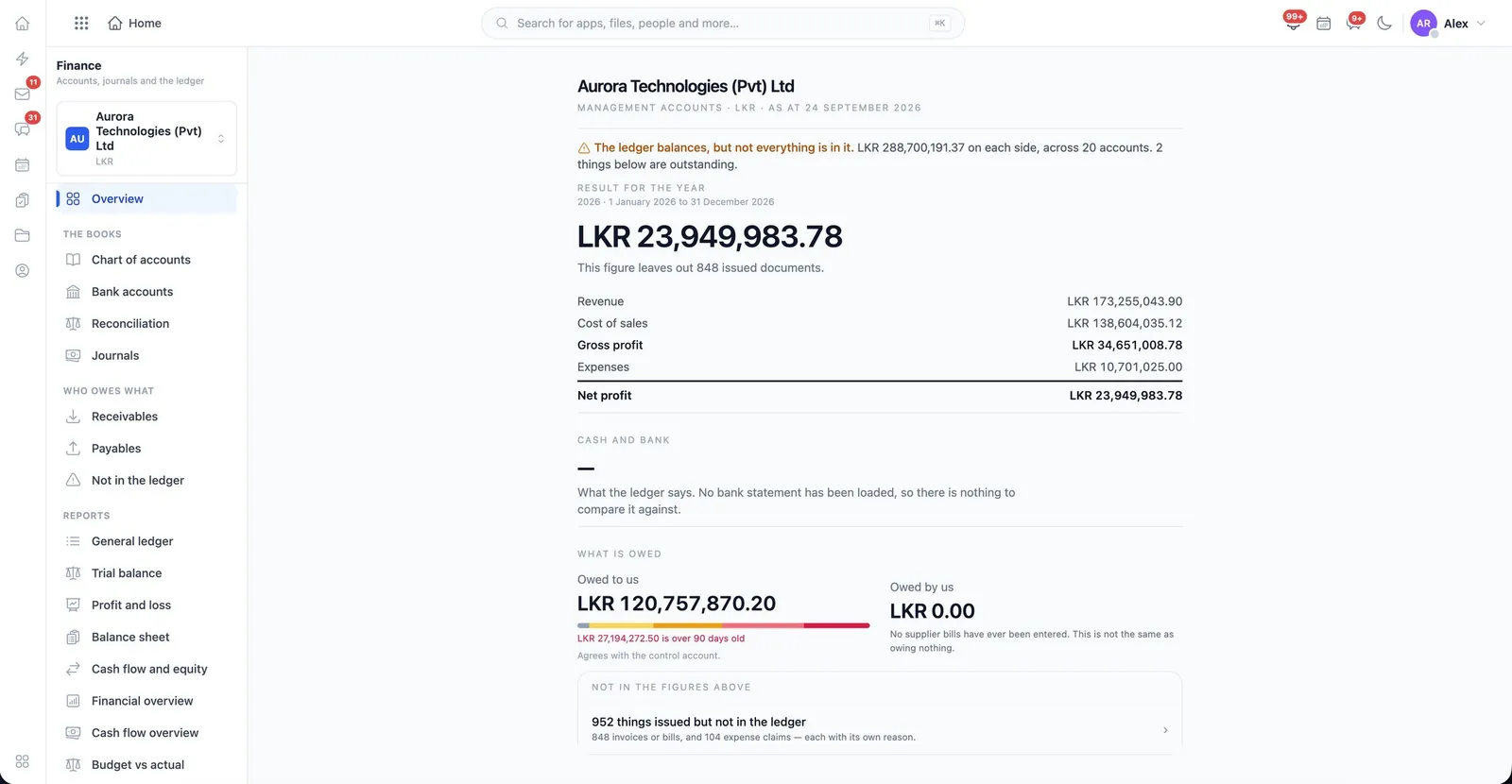
The WorkSuite Finance overview, showing revenue, cost of sales, gross profit and net profit
Finance. Revenue, cost of sales, gross and net profit for the year — and, above them, a plain warning when the ledger balances but something still needs attention.
01

Accounting

The books: chart of accounts, journals, periods, reconciliation and reporting — 24 distinct permissions.

finance
  • Chart of accounts, maintained per company
  • Write, post, approve and reverse journals
  • Lock and reopen accounting periods
  • Import bank statements and lock a reconciliation
  • Budgets, and a cash-flow forecast with a settable horizon
  • Financial and cash-flow overviews, consolidated across companies
  • Reports exported, printed, shared by link, or opened down to the transactions behind them
02

Invoicing

Invoices, payments and the money owed.

billing
  • Create, edit and issue invoices to customers
  • Record payments and allocate them across invoices
  • Credit notes and refunds
  • Recurring billing profiles
  • Taxes and rates under a separate permission
03

Expenses

What staff spend, what it is charged to, and who agreed to it.

expense
  • Submit and track your own expenses
  • Claims routed to an approver who decides them
  • Reimburse, settle advances and record payment
  • Cost centres, cards, petty cash and categories
  • Policies, budgets, approval rules and rates per organization
  • Consolidated spending across every organization

How the money ties together

An order reserves stock and can raise its own invoice; the invoice records a payment, which allocates against it. Postings reach the ledger through one path, so the books balance. Payroll and expenses post to the same accounts as trading, and each company keeps its own books — consolidation is a permission.

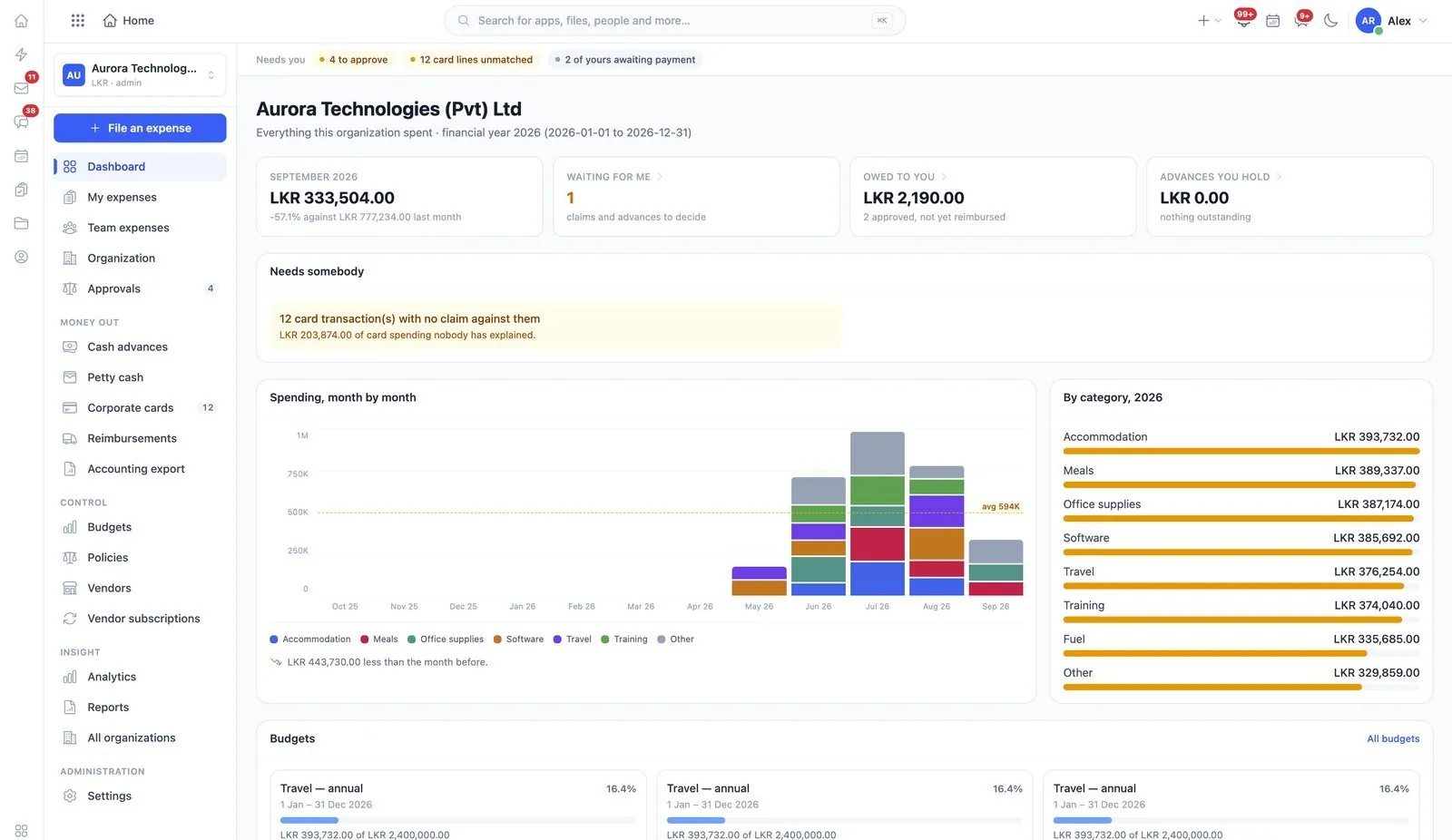
The WorkSuite expense dashboard, showing spending by month and by category
Expenses. What the organization spent this financial year, what is waiting on you, what is owed to you — and the card transactions nobody has explained.
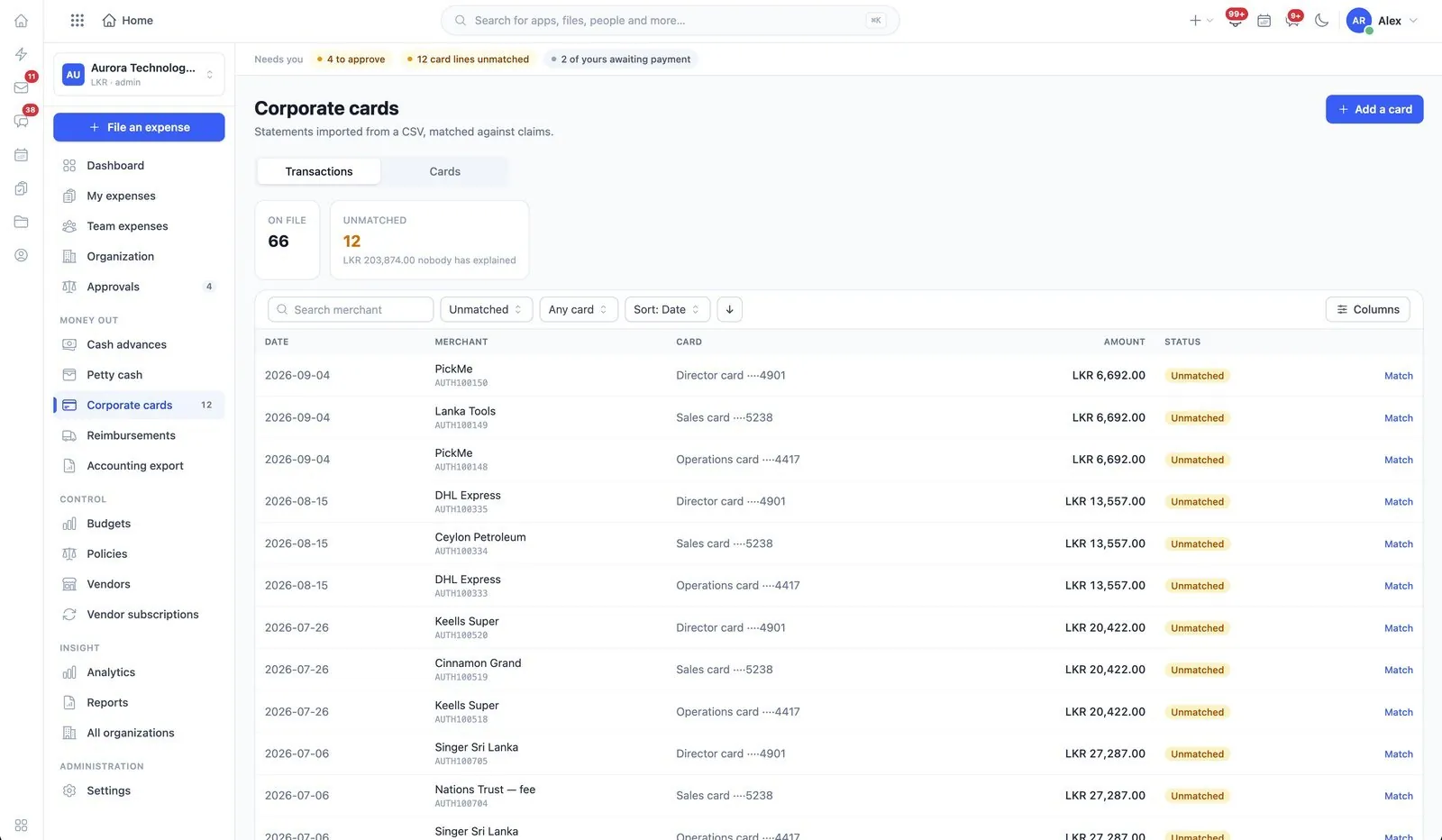
Corporate card transactions imported from a statement and matched against claims
Corporate cards. Statements imported from a CSV and matched against claims, so an unmatched line is visible instead of quietly absorbed.
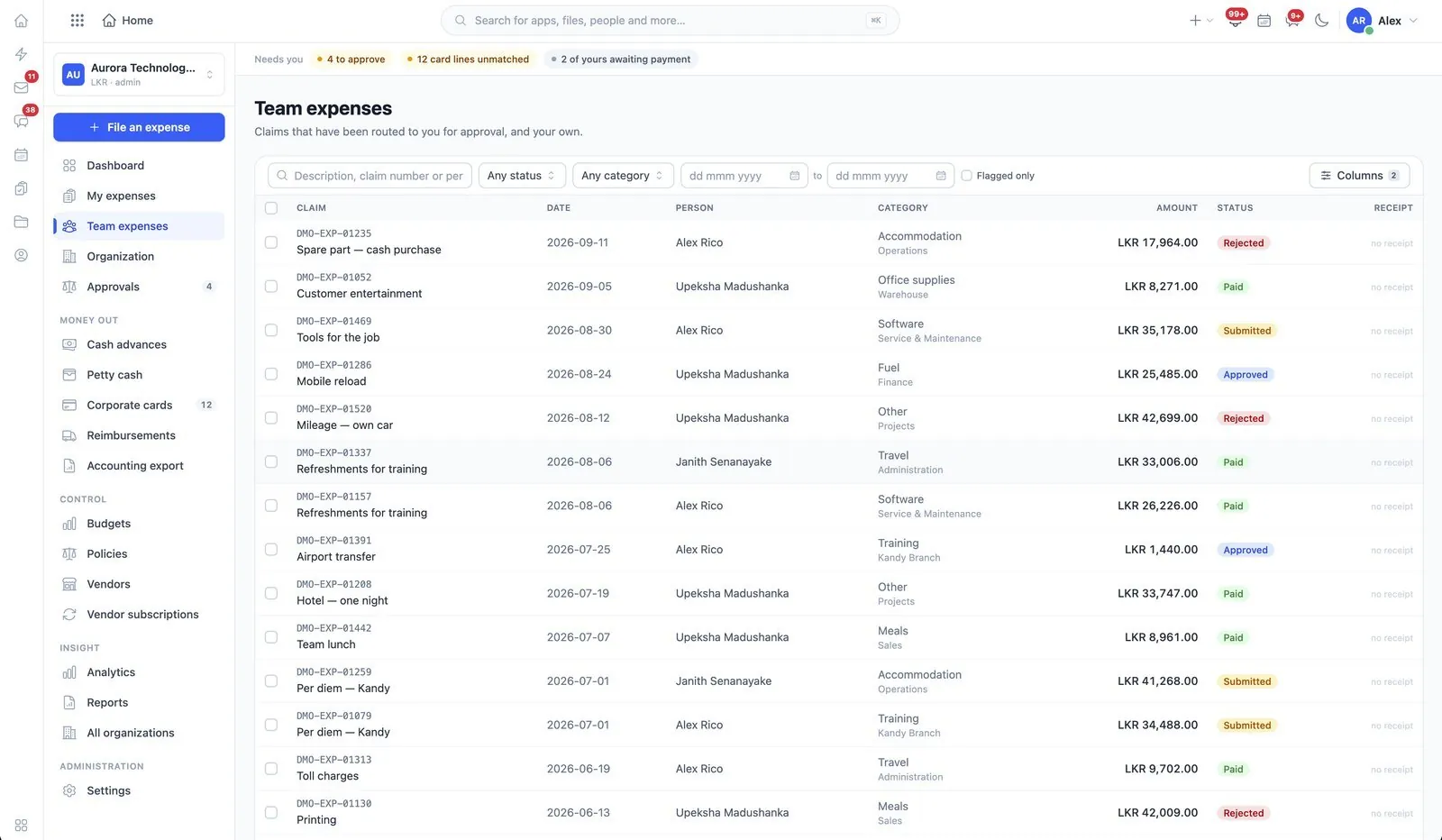
Team expense claims listed with status, category and amount
Team expenses. Claims routed to you for approval, with the receipt, the category and who is waiting.

See finance running

The demo installation has representative data in every app, so you can follow a record from one end of the suite to the other.