Skip to content
worksuiteWorkSuite

Category 04 · 3 apps

Human Resources

Employment records, attendance, leave and pay — with the sensitive parts fenced off by permissions of their own.

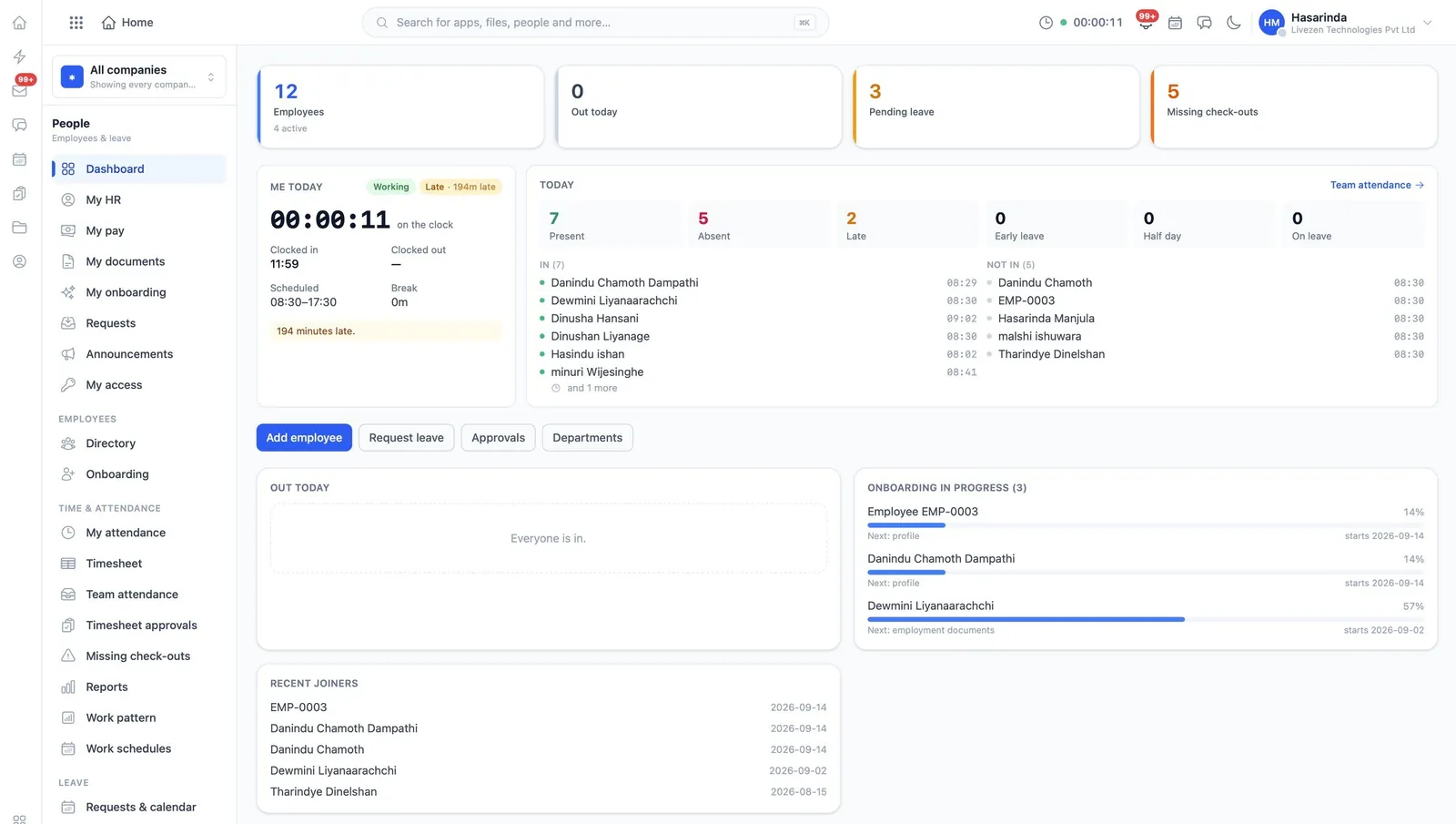
The WorkSuite HR dashboard showing attendance, leave and onboarding in progress
People. Who is in today, who is late, who is on leave, whose check-out is missing — and the onboarding still in progress, with how far each new starter has got.
01

Employees

The employment record, from onboarding to attendance — 26 permissions, the most finely divided module in the suite.

hr
  • Employee records and profiles, viewed and edited
  • Onboarding run for a new starter
  • Attendance corrected, timesheets approved, devices managed
  • Leave requested, managed, and balances set
  • Work schedules, patterns, weights and scores
  • HR requests decided; notes read and written
  • Announcements written, published, and made company-wide
02

Payroll

Salaries calculated from rules, not typed in.

payroll
  • Payroll runs created, edited and approved
  • Rules and settings held apart from the runs
  • Salaries and payroll reports, each its own permission
  • Bank details visible only to those who need them
  • Payments released as a deliberate, separate act
  • Export for the bank or the accountant
03

Directory

The shape of the organization itself.

directory
  • Organizations, units and profiles
  • Groups that people belong to
  • A directory everyone can look through

Sensitive data is a permission, not a screen

Seeing an employee is one thing; seeing their identity number, their personal details or their bank account number are three more, each granted on its own. The same pattern runs through the suite — cost price and margin in Inventory, bank details in Payroll, another company’s figures in Accounting.

See human resources running

The demo installation has representative data in every app, so you can follow a record from one end of the suite to the other.